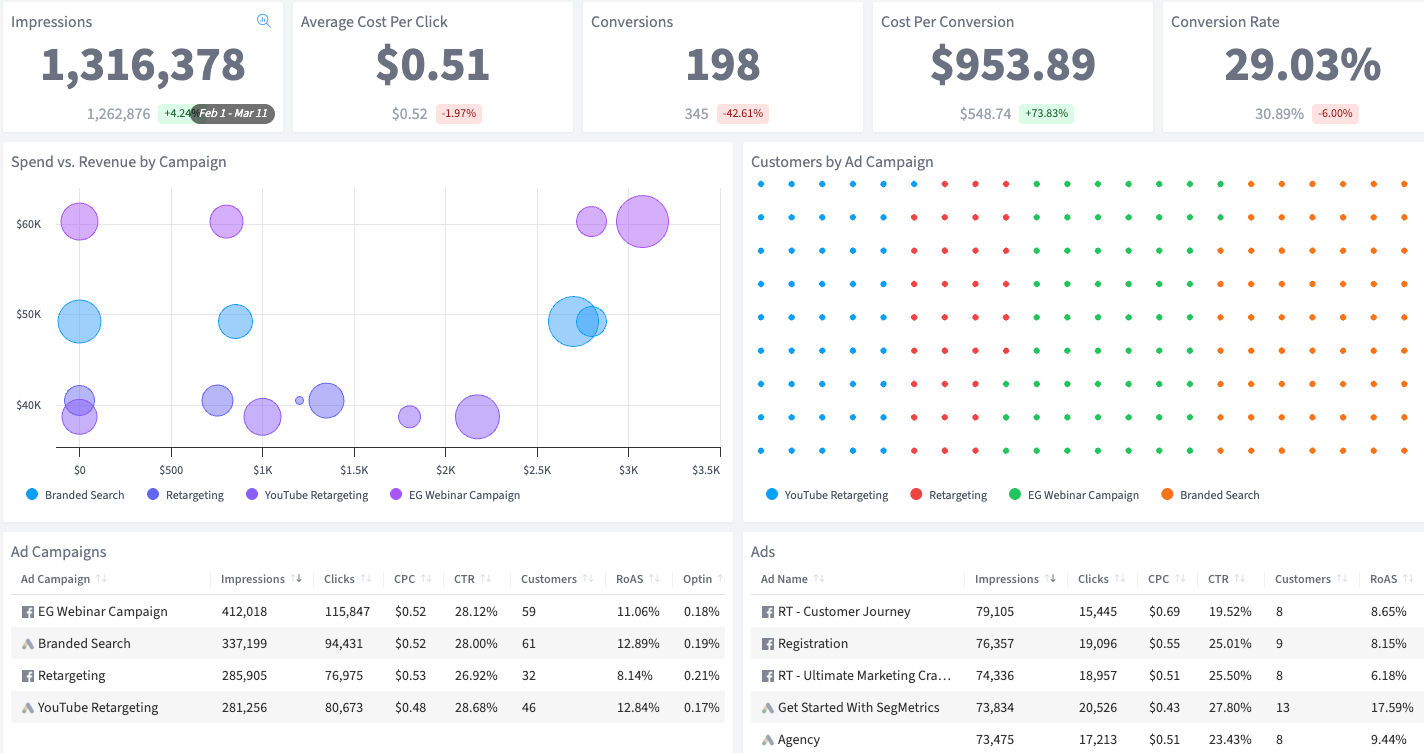
Impressions
The number of times your ads were displayed to users across your ad platforms

Analyze every YouTube campaign, ad group, and video ad with full lifetime performance data.
YouTube’s ad formats — in-stream, bumper, discovery, and Shorts — give you access to billions of viewers. But Google Ads buries YouTube reporting in video metrics: view rates, quartile completions, and earned actions. Connecting a specific ad to an actual paying customer means hours of manual data work.
SegMetrics’ YouTube Ads Campaign Performance Deep Dive Dashboard eliminates that guesswork. Track everything from impressions to revenue at the campaign, ad group, and individual ad level. See which video creatives are generating customers and which are wasting budget.
YouTube has the biggest video audience on the internet.
The number of times your ads were displayed to users across your ad platforms
The average amount you pay each time someone clicks on one of your ads
The number of people who took a desired action (like becoming a lead) after clicking your ad
The average amount you spend to acquire one conversion from your ad campaigns
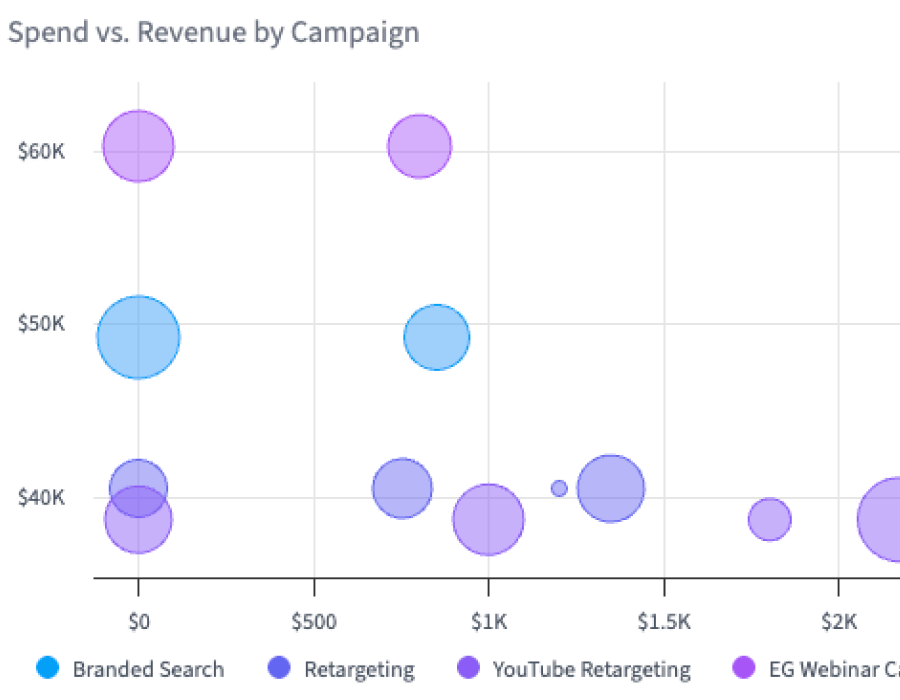
A comparison of how much you spent on each campaign versus the revenue it generated
The number of customers acquired through each YouTube campaign, showing true bottom-line impact
Performance breakdown of your individual YouTube Ads campaigns
Performance data for the ad groups within each YouTube campaign, showing granular results
Performance metrics for every individual YouTube video ad, showing which specific creatives drive results
Why this Dashboard
Google Ads gives you campaign-level YouTube data and some ad group insights, but connecting specific in-stream ads, bumper creatives, or discovery placements to actual customers requires stitching together data from multiple reports.
This dashboard solves this with lifetime performance visibility at every level: campaign, ad group, and individual video ad. Whether you’re running skippable in-stream, 6-second bumpers, or YouTube Shorts ads, you’ll see exactly which creatives are converting viewers into paying customers.
Who it's for
What you can do
This isn’t just reporting. It’s actionable insights to make smarter decisions about your ad spend. Drill into any campaign to see which ad groups are driving conversions and revenue. Identify your best-performing creative and double down on it. Spot underperformers early and cut them before they waste more budget. Track customer acquisition by campaign to understand true ROI.
How Often
Check this dashboard weekly to review ad performance and identify optimization opportunities. Use it during campaign reviews to make data-driven decisions about creative and targeting.
Integrations needed
The YouTube Ads Campaign Performance Deep Dive Dashboard requires a connection to Google Ads (YouTube campaigns) and your CRM. The SegMetrics tracking pixel is also required. See our full list of integrations.
See all of our 100+ pre-built dashboards
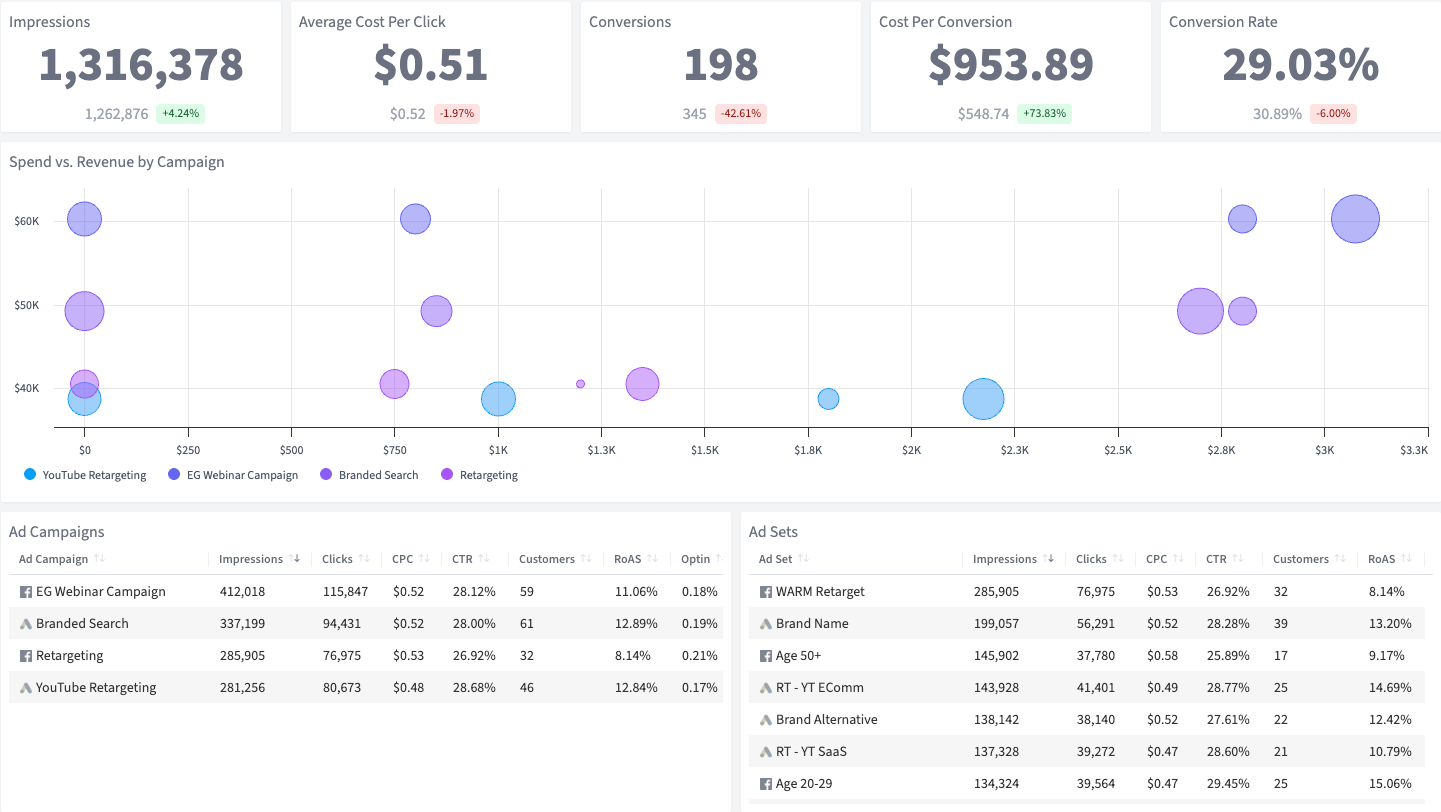
Go beyond view counts — see which YouTube video ads are driving real leads and revenue.
Go beyond view counts — connect your YouTube ad spend to real leads and revenue in your CRM.
Break down performance for every Twitter campaign, ad group, and Promoted Tweet over their full lifetime.
This dashboard reads straight from the integration below. Connect it once and the template fills itself in.
How SegMetrics Works
When your data is fragmented across multiple tools, it’s hard to find answers to important questions about your marketing — like which ads bring in contacts with the highest LTV after 3, 6, and 12 months.
SegMetrics connects your data from all your marketing tools, including ad platforms, CRMs, email systems, payment processors and more. Find the hidden profits in your marketing.
Trusted by 3,000+ Marketers and Agencies











“Since switching to SegMetrics, we’ve been able to rely on our dashboard in ways we just couldn’t with 'the other guys’.”


“It’s not enough for us to just track our ads right after the first click because someone may convert 6 months later. SegMetrics has made a huge difference in our ability to track what we are actually getting from our paid ads. We can even track the impact individual salespeople are having during the sales process.”


“SegMetrics gives you X-Ray vision to reveal what your customers are doing, how your marketing funnel is working...”

Start your 14-day free trial of SegMetrics today!
