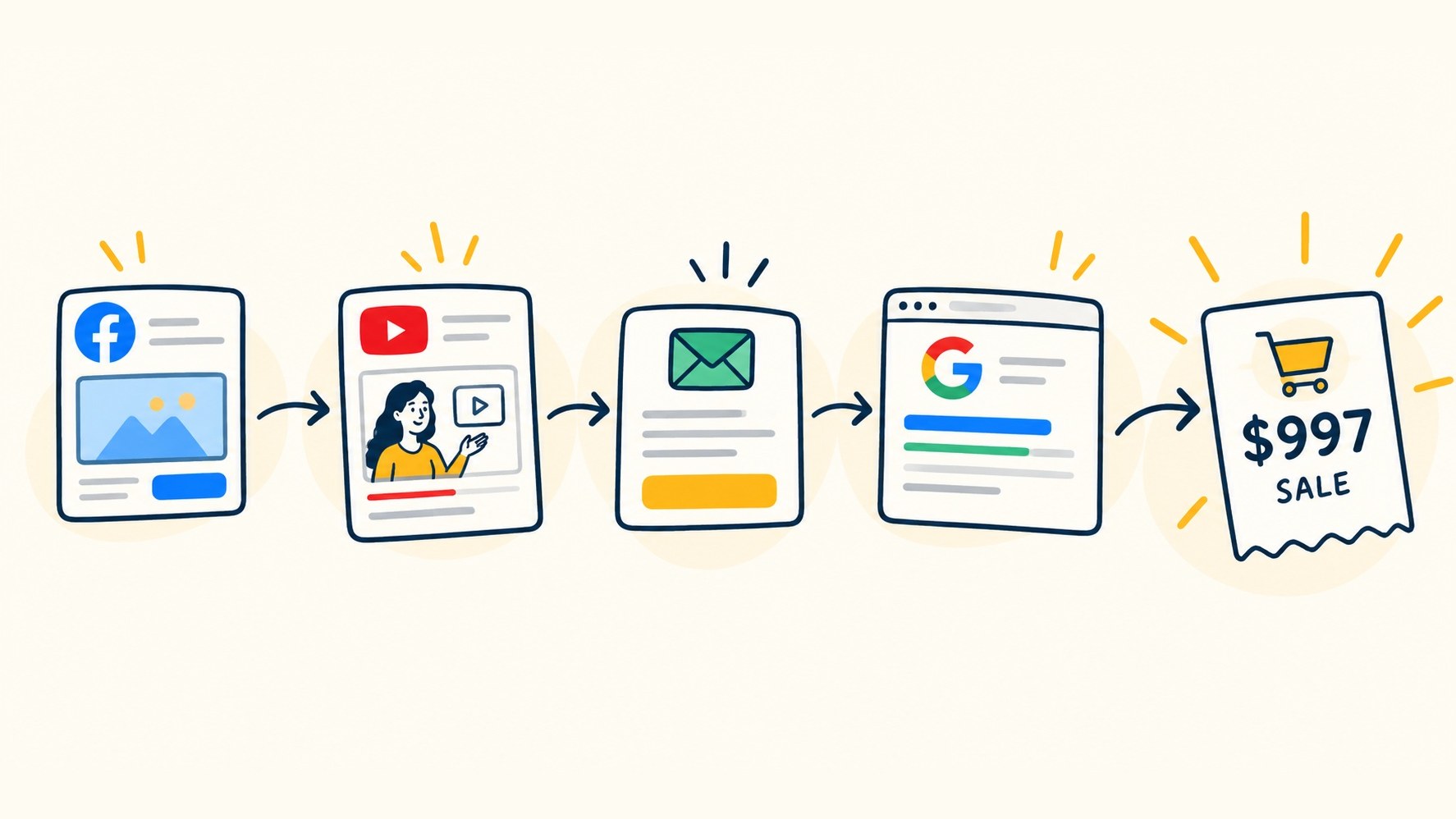
Multi-touch attribution is a way to measure marketing that gives credit for a sale to every touchpoint a buyer interacted with, not just the first or last one. If someone saw your Facebook ad, watched a YouTube video, opened three emails, and then bought, multi-touch attribution shows how much each of those steps contributed to the revenue.
That is the short answer. The rest of this guide shows how it works, which model to use, and what it looks like on a real sale.
Last-Touch vs. Multi-Touch Attribution
Most marketers start with single-touch attribution. It gives 100% of the credit to one touchpoint.
First-touch attribution credits the channel that brought the lead in.
Last-touch attribution credits the channel that happened right before the purchase.
Both are simple. Both lie.
Think about how people buy a $997 course or a coaching program. Nobody clicks one ad and pays. They opt in, watch a webinar, read emails for two weeks, look you up on Google, and then buy. Last-touch gives all the credit to that Google search. Your Facebook ads look worthless. You cut them. Leads dry up a month later and nobody knows why. Last-touch attribution rarely holds up for this kind of buying path.
First-touch has the opposite problem. It ignores the emails and content that actually closed the sale.
Ad platforms make this worse. Facebook, Google, and YouTube each count the sale as their own. Add up what every platform reports and you often get more sales than you actually made. (Here is why Facebook’s numbers are mostly guesswork.)
Multi-touch attribution fixes this by looking at the whole path.
How Does Multi-Touch Attribution Work?
Multi-touch attribution works in three steps.
Track every touchpoint per person. Each time a lead clicks an ad, opts in, opens an email, or visits a page, the system records it against that person. UTM parameters, tracking pixels, and your email and CRM data all feed this record.
Connect the touchpoints to revenue. When the person buys, the purchase from your cart or payment processor (Stripe, ClickFunnels, and so on) is matched to the same person. Now you have a full path from first click to final payment.
Apply a model to split the credit. The attribution model decides how much of the sale each touchpoint gets. Different models answer different questions, which is why most teams look at more than one.
The hard part is step one. If tracking breaks at any point, such as a lead switching devices or an ad platform losing the click ID, the path has a hole in it. The model can only split credit across the touchpoints it can see.
The 5 Most Common Multi-Touch Attribution Models
Here is what each model does and the question it answers.
Model
How it splits credit
Best question it answers
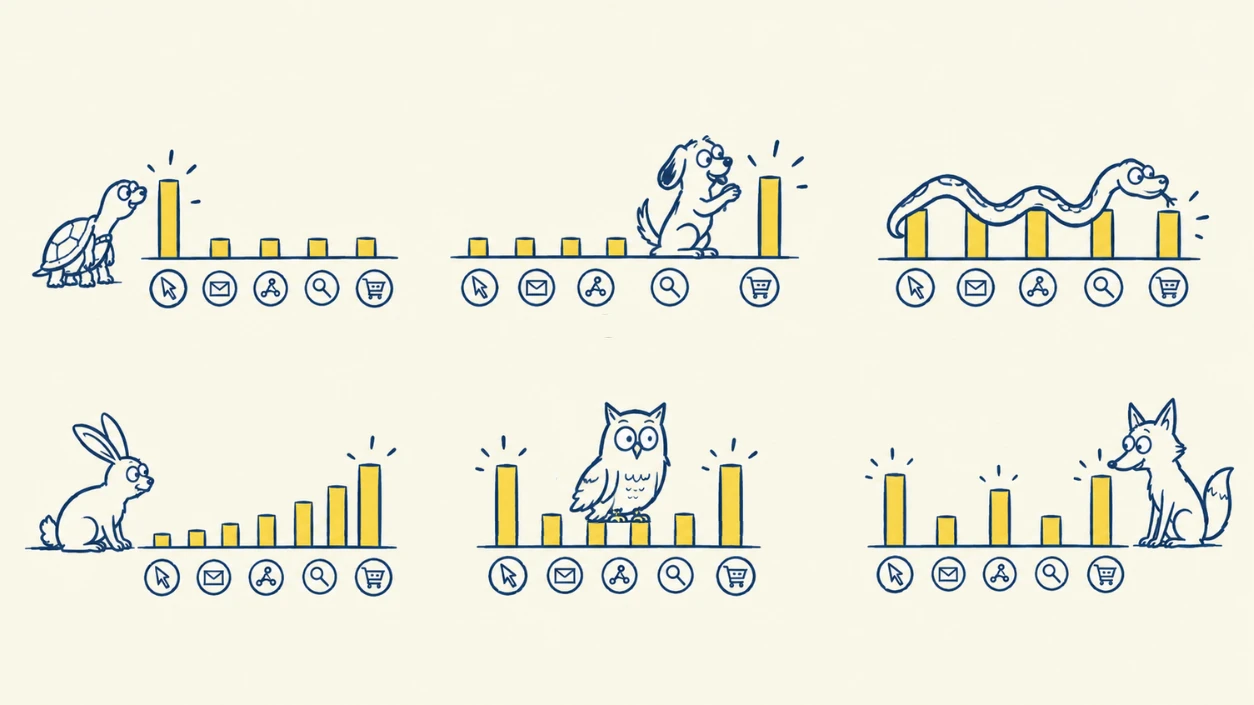
Linear
Equal credit to every touch
Which channels show up in buying journeys at all?
Time decay
More credit to touches closer to the sale
What is closing deals right now?
U-shaped (position-based)
40% first, 40% last, 20% split across the middle
What creates leads, and what converts them?
W-shaped
30% first, 30% lead creation, 30% last, 10% the rest
What drives each funnel stage?
Data-driven
Credit based on statistical patterns across many paths
What actually changes the odds of a sale?
Data-driven models need a lot of conversions to work. Most course creators, coaches, and small SaaS teams get better answers from the first four.
Multi-Touch Attribution Example: One $997 Course Sale, Five Answers
Here is one buyer’s path to a $997 course.
Day 1: Clicks a Facebook ad and registers for a webinar
Day 9: Watches a YouTube video from the same creator
Day 14: Clicks a link in a sales email
Day 16: Searches the creator’s name on Google and buys
Same sale. Watch how the credit moves.
Touchpoint
First touch
Last touch
Linear
Time decay*
U-shaped
Facebook ad
$997
$0
$249.25
$89
$398.80
YouTube video
$0
$0
$249.25
$196
$99.70
Sales email
$0
$0
$249.25
$321
$99.70
Google search
$0
$997
$249.25
$391
$398.80
*Time decay uses a 7-day half-life. A touch 7 days before the sale gets half the weight of a touch on the day of the sale.
Look at the Facebook ad. Under last-touch it earned $0. Under U-shaped it earned almost $400. If you judged Facebook by last-touch alone, you would kill the channel that started this whole sale.
Now look at the Google search. Under last-touch it gets all $997. But the buyer searched your name. They already knew you. That search was the door they walked through, not the reason they came.
This is the whole point of multi-touch attribution. No single model is “true.” Each one gives you a different lens. When a channel looks strong in every model, it is strong. When it only looks good in one, dig deeper.
Which Multi-Touch Attribution Model Should You Use?
Match the model to the decision you are making.
Deciding where to spend ad money for new leads? Look at first-touch and U-shaped. They show what fills the top of the funnel.
Fixing a launch or sales sequence? Look at time decay. It shows what pushes people over the line.
Reporting to a partner or boss? Use linear or U-shaped. They are easy to explain and hard to game.
Running long funnels with webinars or challenges? Use W-shaped if your tool supports it. It credits the opt-in, which is often the most important moment in an info-product funnel.
Then compare. Pull the same report under two or three models. The channels that hold up across all of them are your real winners.
Also check your attribution window, which is how far back the model looks for touchpoints. A 7-day window will miss that Day 1 Facebook ad entirely. For high-ticket offers with long nurture sequences, you usually need 30 to 90 days. Here is how attribution windows work.
What You Need to Set Up Multi-Touch Attribution
You need four things working together.
Consistent UTM parameters on every ad, email, and social link. Messy UTMs mean messy data. Start with UTM Essentials or build clean links with the free UTM builder.
A tracking script on your site, opt-in pages, and checkout so you can follow each person across visits.
Connections to your tools. Your ad platforms, email platform (ActiveCampaign, Kit, and others), and cart or payment processor all hold part of the path.
Identity matching that ties anonymous clicks to a real lead once they opt in. Without this, every touch before the opt-in disappears.
You can try to build this yourself in spreadsheets. Most teams give up once they hit identity matching across devices and tools. That is the gap attribution software like SegMetrics fills. It connects your ads, email, and cart, then follows each lead from first click to final purchase so you can see revenue by channel under any attribution model.
Can AI Do Multi-Touch Attribution for You?
Partly. AI tools like ChatGPT and Claude are good at reasoning about marketing data. Ask one why your cost per lead went up and it can give you smart theories.
But AI cannot see a click that was never recorded. It does not know that a buyer from Tuesday first found you through an ad three weeks ago. That memory has to come from tracking. (Here is why AI can’t replace attribution.)
The best setup pairs the two. Your attribution data holds the full path. AI reads it and answers questions in plain English. SegMetrics does this through its MCP server, which lets you ask Claude or other AI assistants questions about your real attribution data.
Want to see your own funnel under every model? Book a demo and we will walk through it with your data.
Frequently Asked Questions
What is multi-touch attribution in simple terms?
Multi-touch attribution gives credit for a sale to every marketing touchpoint a buyer interacted with, such as ads, emails, and videos. Instead of crediting only the first or last click, it splits the revenue across the full path so you can see what each channel actually contributed.
What is the difference between last-touch and multi-touch attribution?
Last-touch attribution gives 100% of the credit to the final touchpoint before a sale. Multi-touch attribution splits credit across every touchpoint in the path. Last-touch is simpler, but it hides the channels that start or nurture sales.
Which multi-touch attribution model is best?
No model is best for every question. Linear shows which channels appear in buying paths. Time decay shows what closes sales. U-shaped shows what creates and converts leads. Most marketers compare two or three models and trust channels that perform well across all of them.
Is multi-touch attribution worth it for small businesses?
Yes, if your buyers take more than one step before purchasing. Course creators, coaches, and agencies with webinars, email sequences, or launches almost always have multi-step paths. Without multi-touch attribution, they tend to cut the ads that start sales.
Why do my ad platforms report more sales than I actually made?
Each ad platform counts any sale it touched as its own conversion. If a buyer clicked a Facebook ad and a Google ad, both platforms claim the sale. Multi-touch attribution tracks the buyer once and splits the credit, so the totals match your real revenue.
Denise Cullom is an innovative and goal-oriented Operations Lead committed to professional development and expert leadership of teams, systems, and profitability. Recognized for repeatedly surpassing business goals, she is a decisive leader and strategic planner known for rallying stakeholders behind new initiatives. Denise is adaptable to changing business needs and market conditions, continuously driving success and growth.
First-touch, last-touch, linear, time-decay, position-based, and W-shaped. Learn what each attribution model actually does (plus a simple way to pick the right one every time).
What an attribution window is, how it differs from a lookback window, what each ad platform's default actually is, and why a short window quietly hides your best-performing ads.